

You find two vacancies for the same position at two different companies.
The job titles are identical, but the job descriptions are not.
One company emphasises stakeholder management and regional growth. The other wants process improvement and data analysis. If you send exactly the same CV to both, each employer has to search for the evidence that matters to them.
So you tailor your CV. Then you create another copy for the next company. You change the summary, move a few skills, rewrite several bullet points, and save another file.
After several applications, your folder is full of documents with almost identical names. You spend more time finding, copying, renaming, and checking files than preparing for the job itself.
This is the problem BylineCV is designed to solve.
BylineCV gives you one place to keep your CVs and resumes, duplicate them for different applications, tailor each copy using the job description, create a matching cover letter, check the strength of your CV, and export the finished document for free.
The same job title does not mean the same application
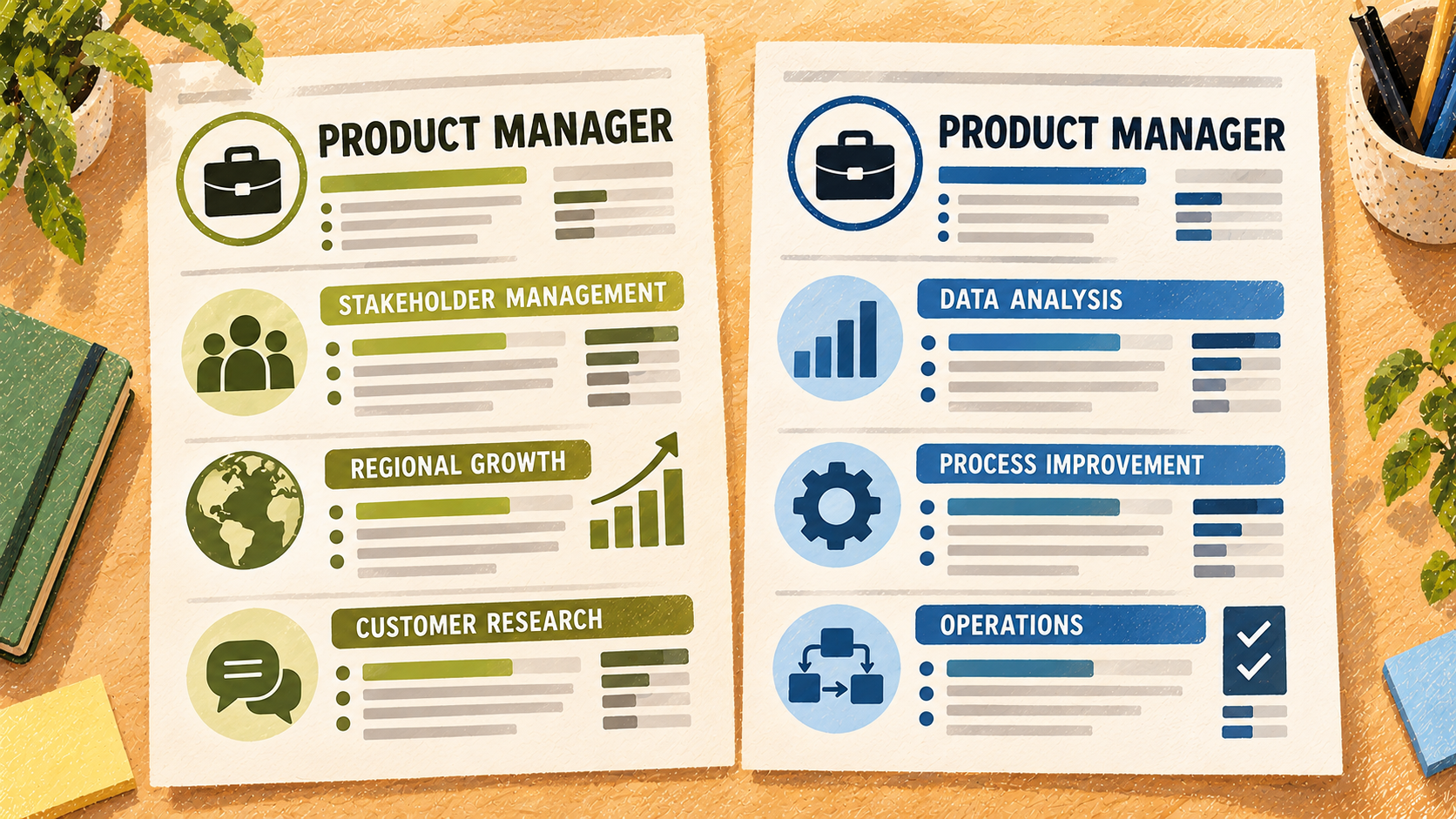
A job title is only a label. The job description tells you what the company actually needs.
Two employers hiring a “Product Manager” may be looking for very different people. One might care most about customer research and product discovery. Another might need someone who can coordinate launches across several countries.
Your career history has not changed, but the most relevant evidence has.
Tailoring helps you bring that evidence forward. It might mean:
- Rewriting your summary around the employer's priorities
- Moving the most relevant skills higher
- Giving more space to achievements that match the role
- Using the professional language from the job description where it accurately describes your work
- Removing details that distract from the application
That is difficult to do well with one CV that tries to cover every possible job. It is much easier when each application has its own focused copy.
Duplicate your CV instead of starting again
You should not have to rebuild your education, work history, contact details, and achievements whenever you find another opportunity.
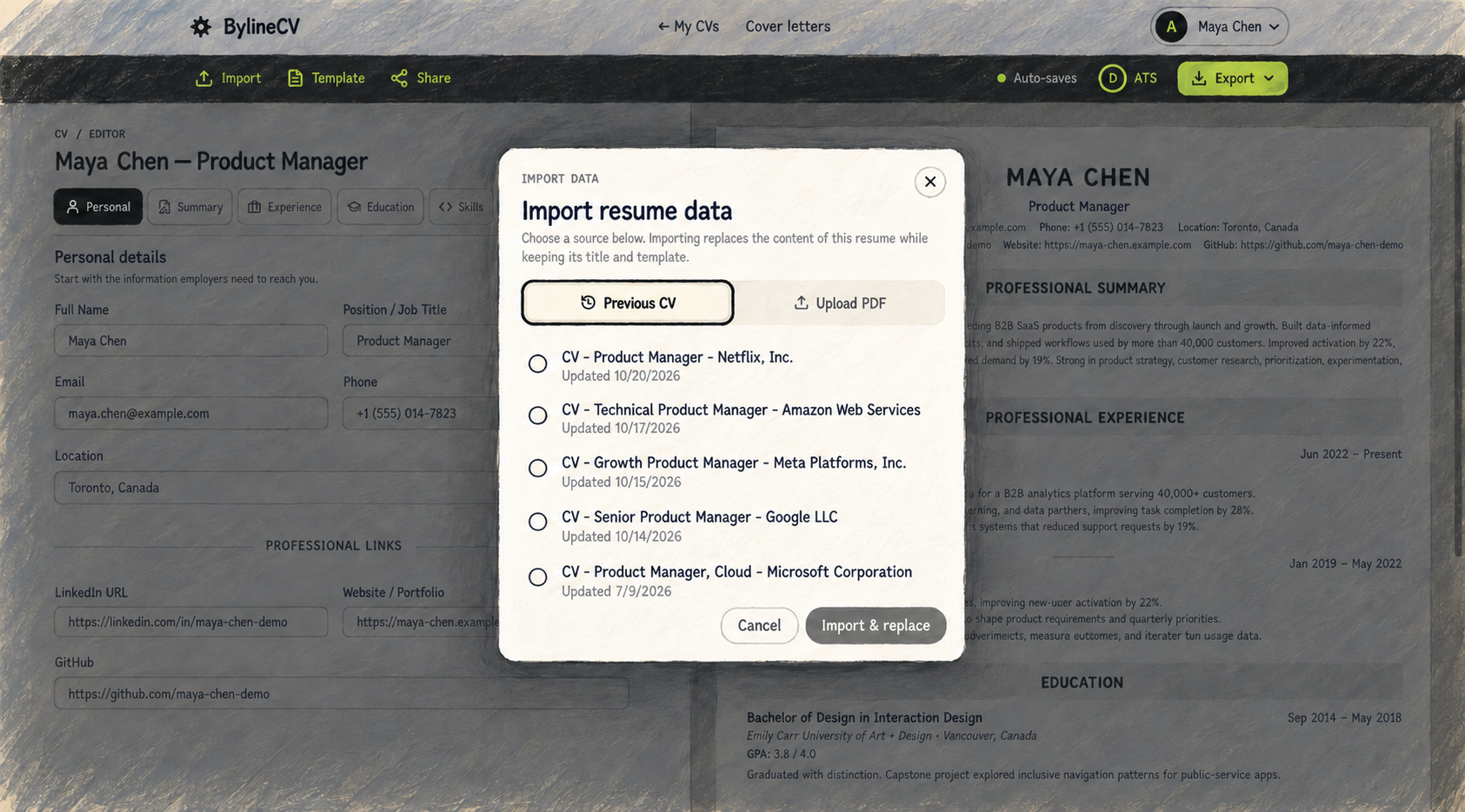
With BylineCV, you can keep the CV you already have and duplicate it as the starting point for another application. Give the copy a clear name, such as “Product Manager — Company A”, then tailor it to that company's job description.
For a similar role at another company, make another copy and adjust it around what that employer asks for.
Your real experience remains the foundation. You are simply choosing which parts to emphasise for each opportunity.
If your existing CV is outside BylineCV, you can import it from a PDF instead of typing everything again. Once the content is editable, you can use it as the starting point for the applications that follow.
Keep every CV in one place
The more jobs you apply for, the harder it becomes to manage separate Word documents and PDFs across downloads, email attachments, cloud folders, and different devices.
BylineCV centralises that work.
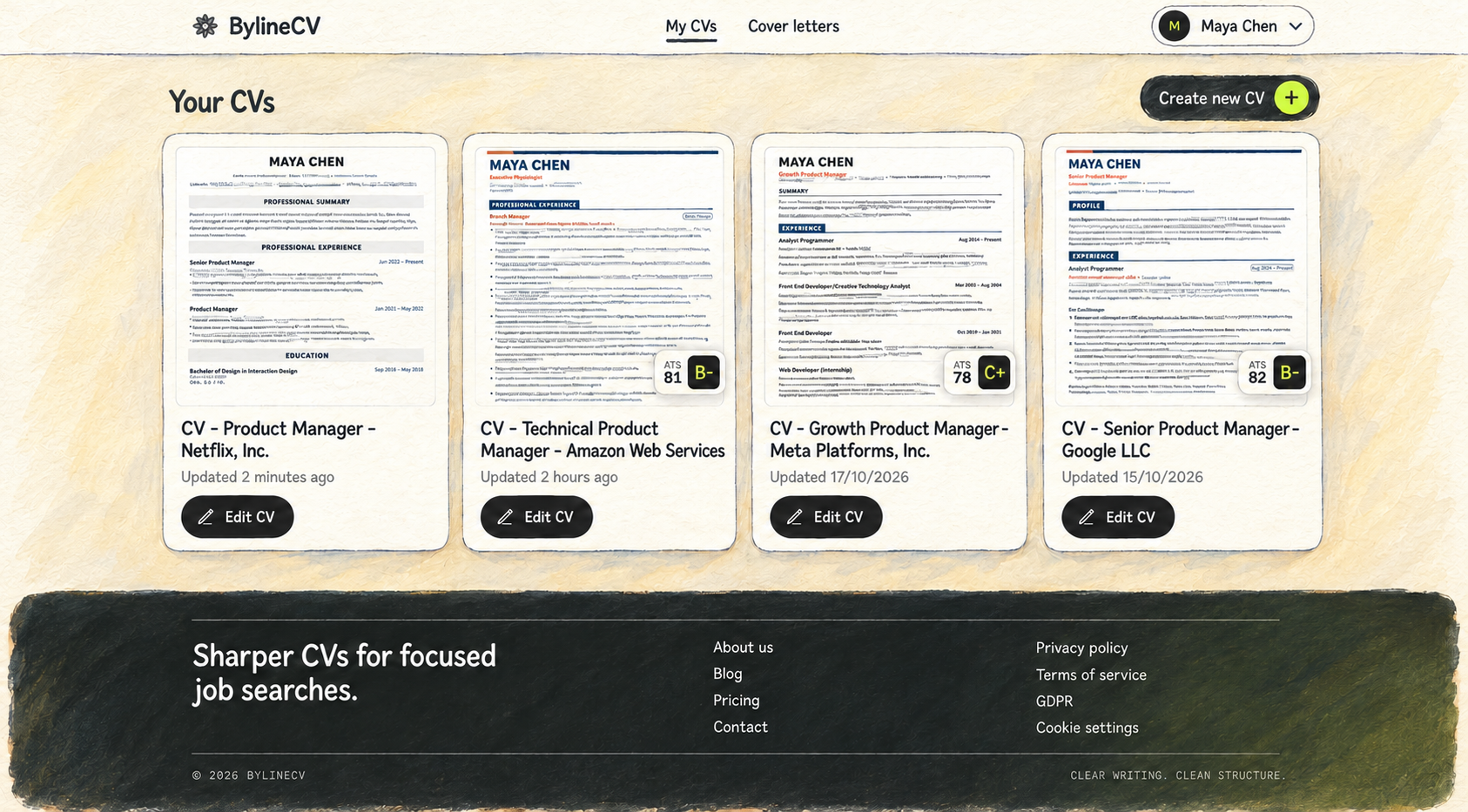
Your dashboard keeps your CVs together, with a preview, a clear title, the date each document was updated, and its latest ATS score when available. You can open the exact CV you need without guessing whether “CV-final-new-2.pdf” is the correct file.
A simple naming pattern makes the dashboard even more useful:
- Job title — company name
- Job title — industry
- Job title — location
You can create as many tailored copies as you need and keep them in the same account. Each one stays available when you want to make another change, reuse its content, or apply for a similar role later.
Use the job description to check your CV
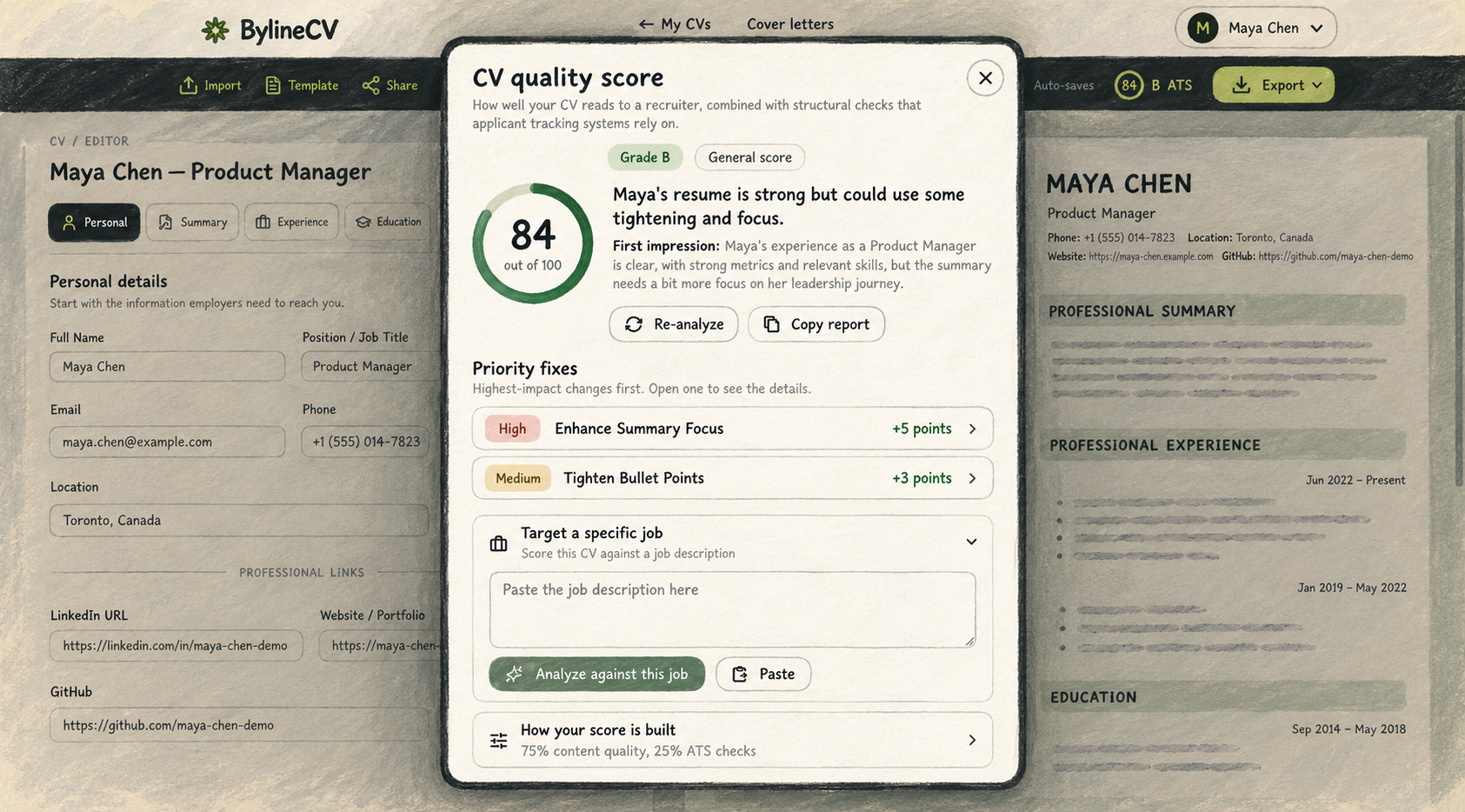
Once you have tailored a CV, you still need to know whether it communicates the right information clearly.
BylineCV includes an ATS and quality check that can review the CV on its own or compare it with the job description. It looks at practical issues such as structure, contact information, clarity, evidence, skills, and relevance to the role.
The review highlights priority improvements and shows where the CV may not yet reflect what the employer is asking for.
The score is guidance, not a guarantee. No tool can promise an interview, and employers do not all use the same hiring process. Its purpose is to help you spot gaps before you apply—not to encourage keyword stuffing or tricks.
Your final CV should still sound like you and describe experience you genuinely have.
Generate a cover letter from the same job description
Tailoring your CV is only one part of preparing an application. You may also need a cover letter that connects your experience to the company and the position.
BylineCV lets you select the relevant CV, paste the job description, and generate a cover-letter draft using that information as context.
This saves you from opening another tool, copying your background into a new conversation, and explaining the role all over again. Your CV, the job description, and the cover letter remain part of the same application workflow.
You can choose a tone, edit the generated draft, add specific details from your experience, and make sure the final letter sounds natural and accurate before sending it.
The result is a useful first draft, not something you should submit without reading. Check the company name, job title, recipient, claims, and examples carefully. The cover letter should support your application, not invent a story for you.
Change the design without rebuilding the content
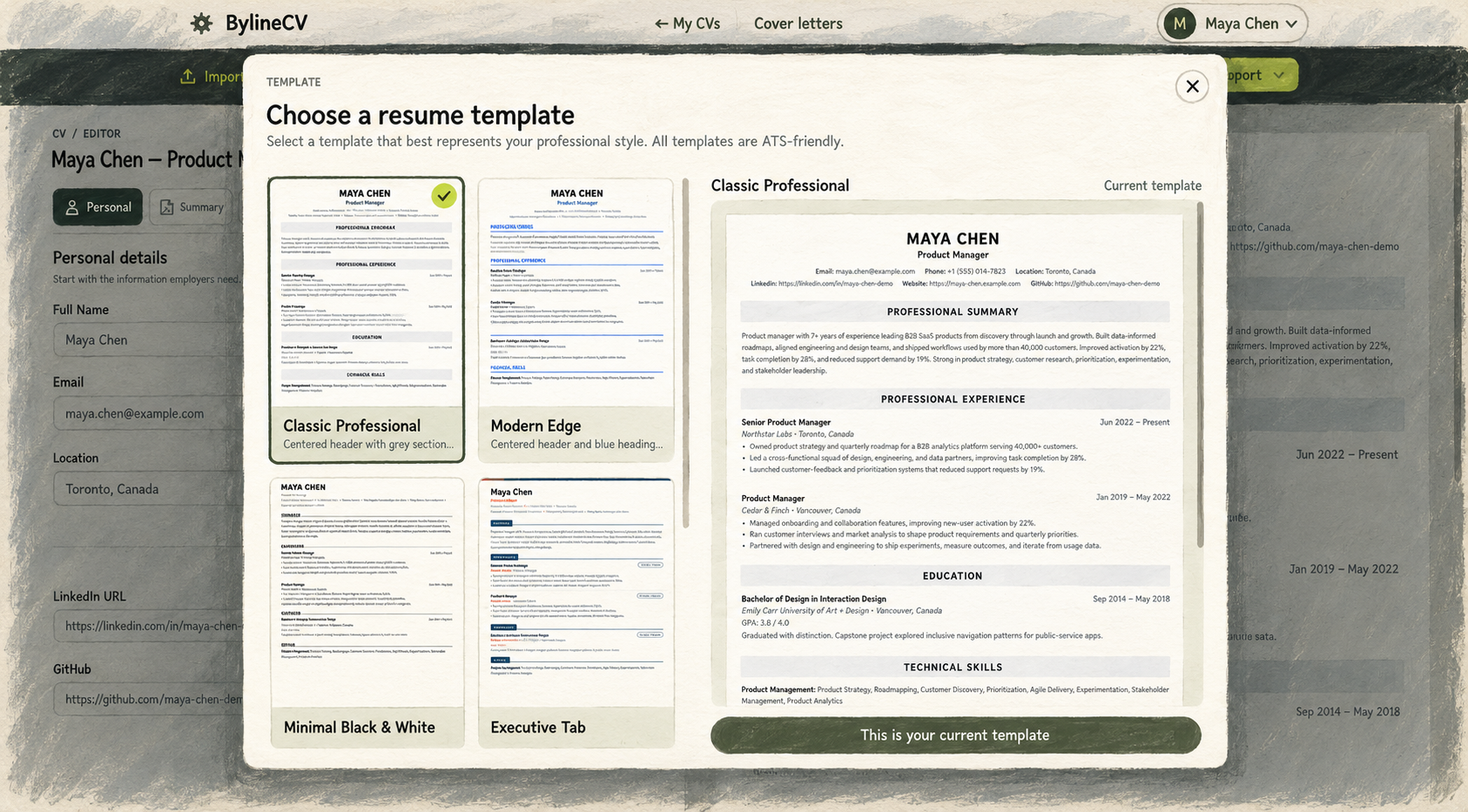
Sometimes the information is right, but you want a different presentation.
BylineCV separates your CV content from its template. You can preview another design using the information already in the document instead of copying everything into a new layout.
The live preview shows how the CV will look while you edit. You can also reorder sections, rename headings, hide information that is not relevant, and add custom sections when the role needs something more specific.
This gives you flexibility without turning every design change into another formatting project.
The goal is not decoration for its own sake. A good design should make your experience easier to scan, keep the reading order clear, and help the most important evidence stand out.
Export your CV without a paywall
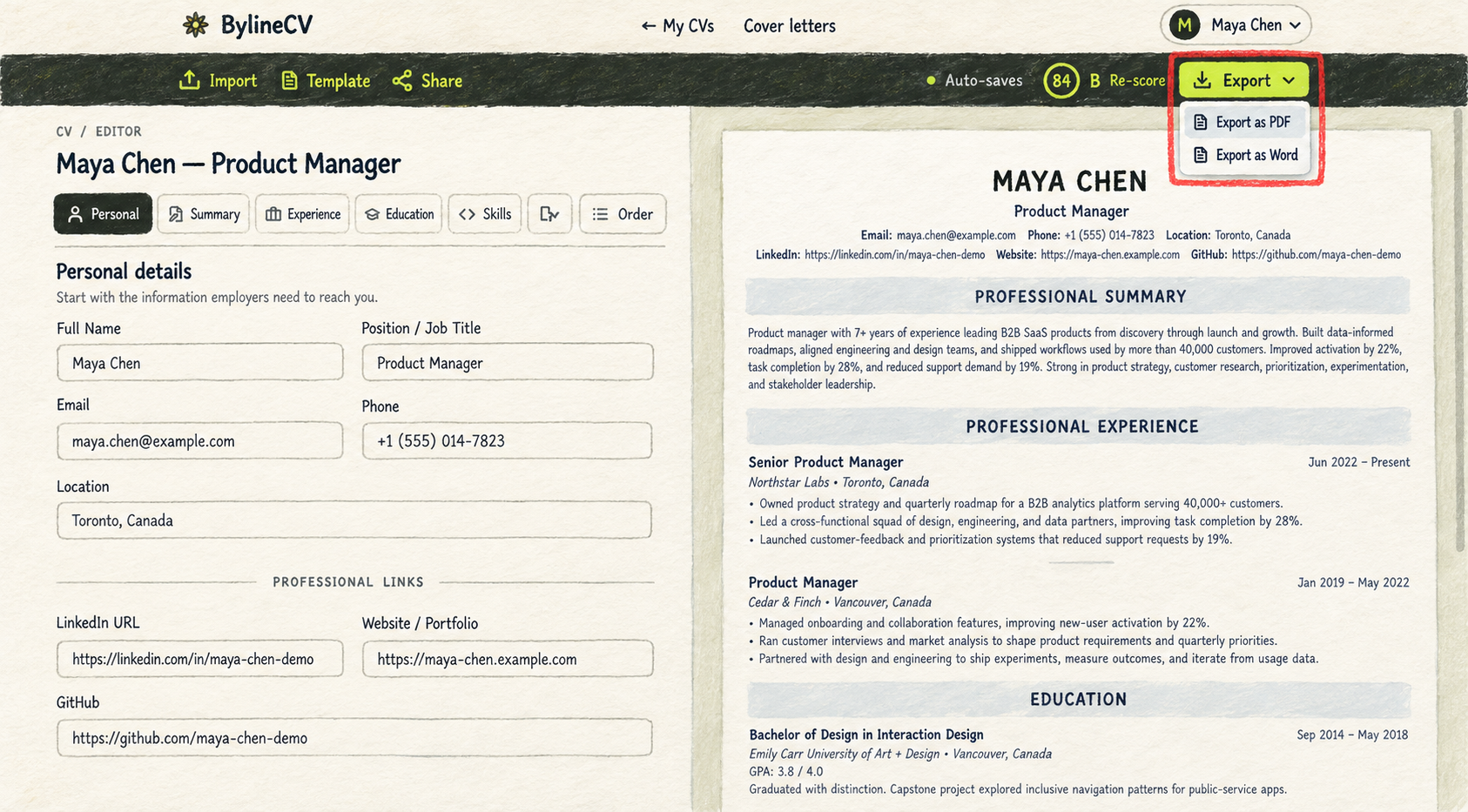
The worst time to discover a paywall is after you have finished your CV.
You have already entered your information, tailored every section, checked the document, and prepared to apply. Then the tool asks you to subscribe before downloading the result.
BylineCV does not charge you to download the documents you create.
Creating, storing, managing, and downloading your CVs, resumes, and cover letters is free. You can export your finished CV as a PDF or Word document without paying to unlock the work you already created.
The AI features and ATS checks available today are free to use as well, and they will stay free within their usage limits. Any future paid plan will offer higher AI usage limits and new, advanced features.
So, how does BylineCV help you manage every CV and resume?

The process is straightforward:
- Bring in the CV or resume you already have.
- Duplicate it for the company you want to apply to.
- Paste the job description and tailor the copy around the role.
- Check the CV for clarity, strength, and relevance.
- Generate a matching cover-letter draft.
- Choose the design that presents your information clearly.
- Export the finished documents as PDF or Word files for free.
When the next opportunity appears, repeat the same workflow without starting again or scattering more files across your devices.
So, BylineCV helps you manage every CV and resume by keeping each tailored application organised in one place—from the first copy to the final export.